Monitoring Logs and Status
Follow along on Youtube!
Quick Reference
tezbake info                    # Overall status snapshot
tezbake node log -f             # All node logs (live)
tezbake node log baker -f       # Baker logs only (live)
tezbake node log node -f        # Node sync logs only (live)
tezbake signer log -f           # Signer/Ledger logs (live)
Monitoring
TezBake gives you the option to monitor all Tezos node and baking services. TezBake utilizes the journalctl utility included in most Linux distribution to store and manage its logging. You can extract all logs for a node easily to diagnose any issues. This tutorial will walk you through the process of monitoring your TezBake node.
Monitor overall TezBake status
Run this command to get the status of your baker in a snapshot. After first setting up and starting the baker, you may need to give it a minute or 2 before the status display stops changing and missing some information. If you notice there is an error status on any of the fields after around 3-5 minutes of starting the services, seek out help in the Tez Capital community as there is something that probably needs tweaking.
tezbake info
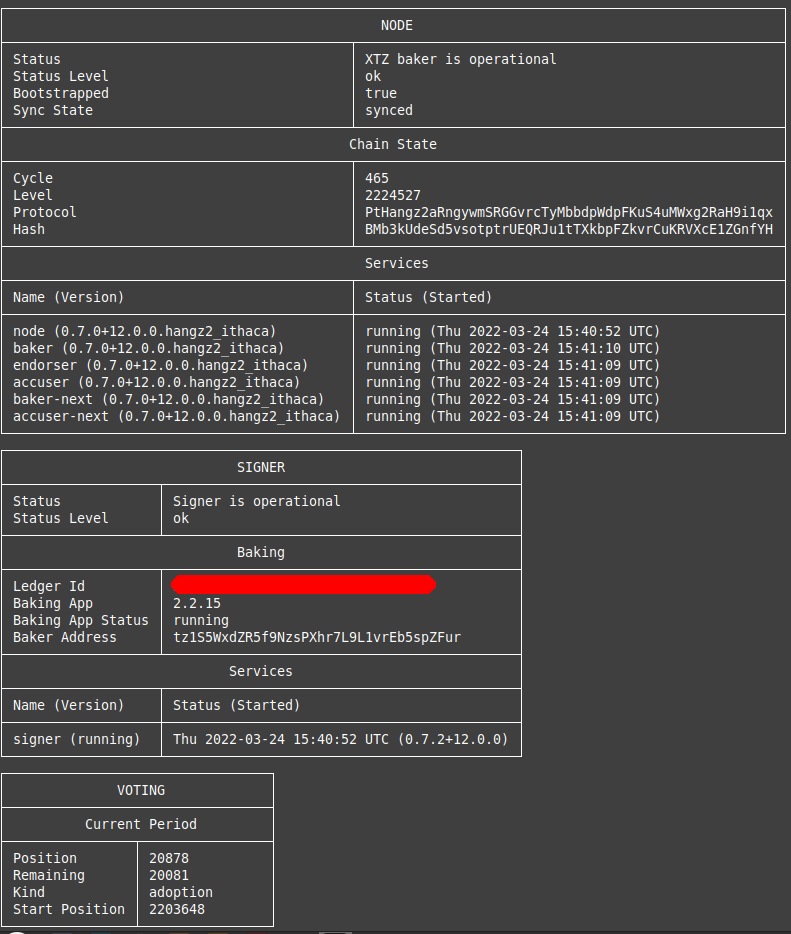
Understanding tezbake info Output
The tezbake info command shows a snapshot of your baker’s health. Here’s what a healthy output looks like and what each field means:
Node:
  synchronized:     true          ← MUST be true before importing keys or registering
  level:            7,432,881     ← Should match the latest block on https://tzkt.io
  network:          mainnet

Baker:
  baker_registered: true          ← true once you've run register-key or used TezGov
  baker_active:     true          ← true once you have baking rights (up to 2 cycles after registration)
  next_baking:      in 4h 12m     ← your next scheduled block production slot

Signer:
  status:           connected     ← MUST be "connected" — if "disconnected", check your signer device
  type:             ledger        ← or "tezsign" depending on your setup
  address:          tz3Abc...     ← your baker's public key address

Services:
  node:             running       ← all services should show "running"
  baker:            running
  accuser:          running
  signer:           running
ℹ️ INFO: If you just started the baker, give it 1-2 minutes for all fields to populate. Some fields like
baker_activeandnext_bakingonly appear after full synchronization.
Healthy Baker Checklist
Use this checklist to confirm your baker is operating correctly:
- ✅
synchronized: true— node is fully caught up with the chain - ✅
levelmatches the latest block on https://tzkt.io - ✅
baker_registered: true— registration transaction confirmed on-chain - ✅
signer: connected— signing device is reachable and responding - ✅ All services show
running(node, baker, accuser, signer) - ✅ No error messages in
tezbake node log -foutput
⚠️ WARNING: If
synchronizedisfalse, your baker is not attesting. Do not register or import keys until your node is fully synced. Monitor thelevelfield and compare it to https://tzkt.io until they match.
💡 TIP: If
signershowsdisconnected, check that your Ledger is unlocked with the Tezos Baking app open (or that your TezSign device is powered on and connected). Runtezbake signer log -ffor details.
Monitor TezBake logs
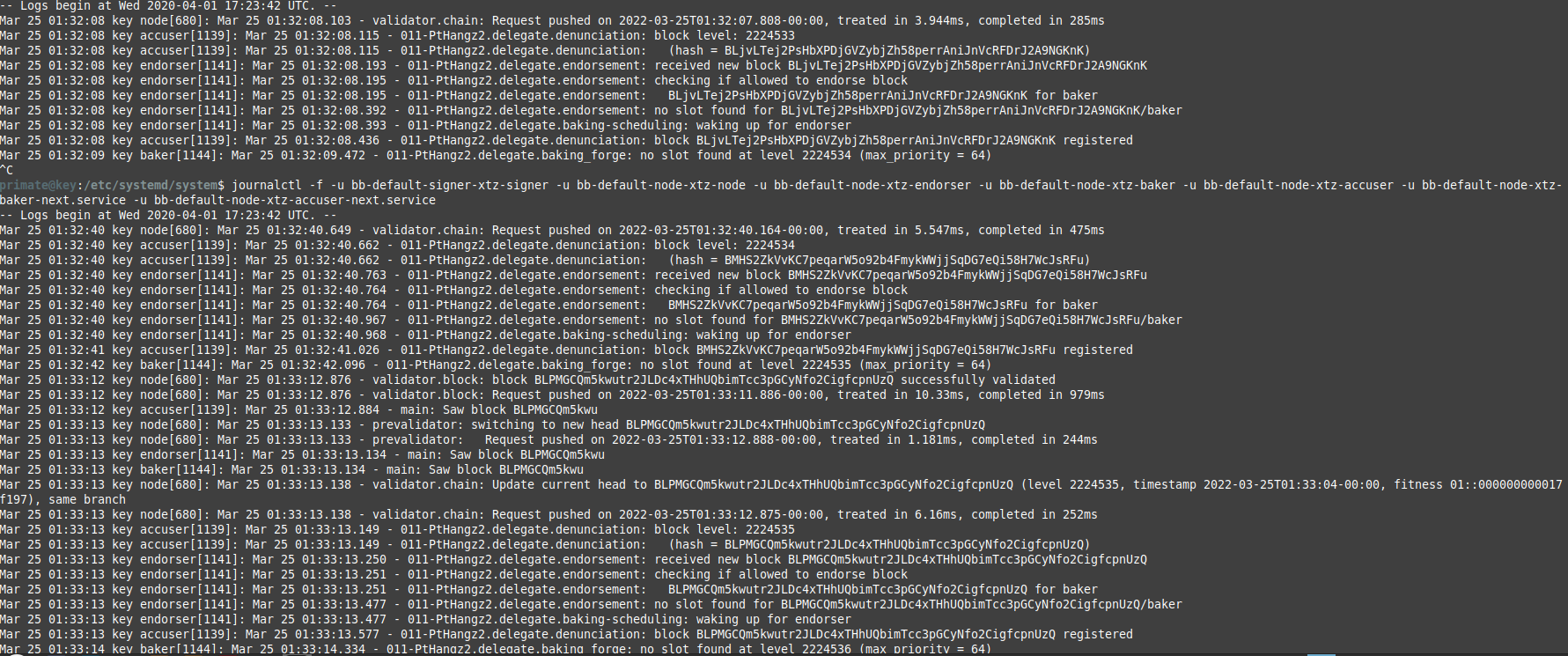
Monitor full TezBake node and baker logs in real time
Using the command below shows everything your baker is doing on a second-by-second basis. If there is a problem to be discovered, it will be mentioned here.
tezbake node log -f
Monitor limited TezBake node or baker logs in real time
Using these commands you can focus on just the node, just the baking/attesting process or just the accusation (of double baking) processes
tezbake node log node -f
tezbake node log baker -f
tezbake node log accuser -f
Monitoring just the node process shows blocks being synchronized in real time by your node.
Monitoring just the baker process shows all attempts to attest and bake blocks. The baker process works along with the node process to inject blocks and attestations into the Tezos network.
Monitoring just the accuser process shows the attempts of your node to call our double baking events on the Tezos network. Normally you should not see anything in this log.
Monitor TezBake baker logs for the next protocol
During times when Tezos protocol are being switched out you will notice that there is a baker process as well as a baker-next process. The same is true about the accuser process. The baker-next process is the baker process that will be used when the next protocol is activated. The baker process will be used until the next protocol is activated. The accuser-next process is the accuser process that will be used when the next protocol is activated. The accuser process will be used until the next protocol is activated.
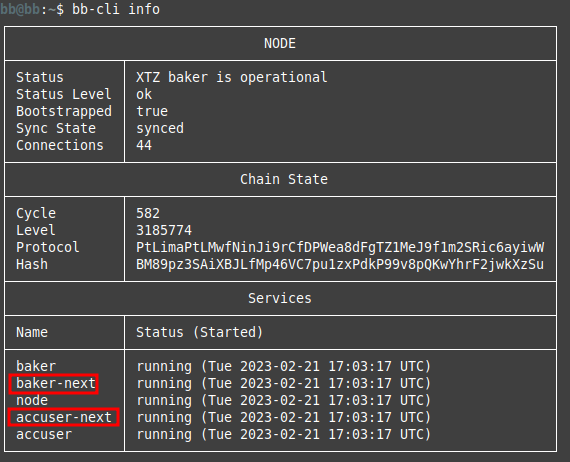
tezbake node log baker-next -f
tezbake node log accuser-next -f
The baker-next process will show one of two things.
- Protocol is waiting to start. This means everyone is waiting for the new proposal to be activated on mainnet. Nothing needs to be done until the new protocol is activated
- The baker process is running like normally. This means the new proposal has already activated and the TezBake needs to be updated to reflect it. There is no penalty for not updating unless you do not update in time for the next proposal. In other words, updating is only necessary when a proposal switch is about to happen. We still recommend that all Tezos bakers update their TezBake to the latest production version as soon as possible to get the latest Octez improvements.
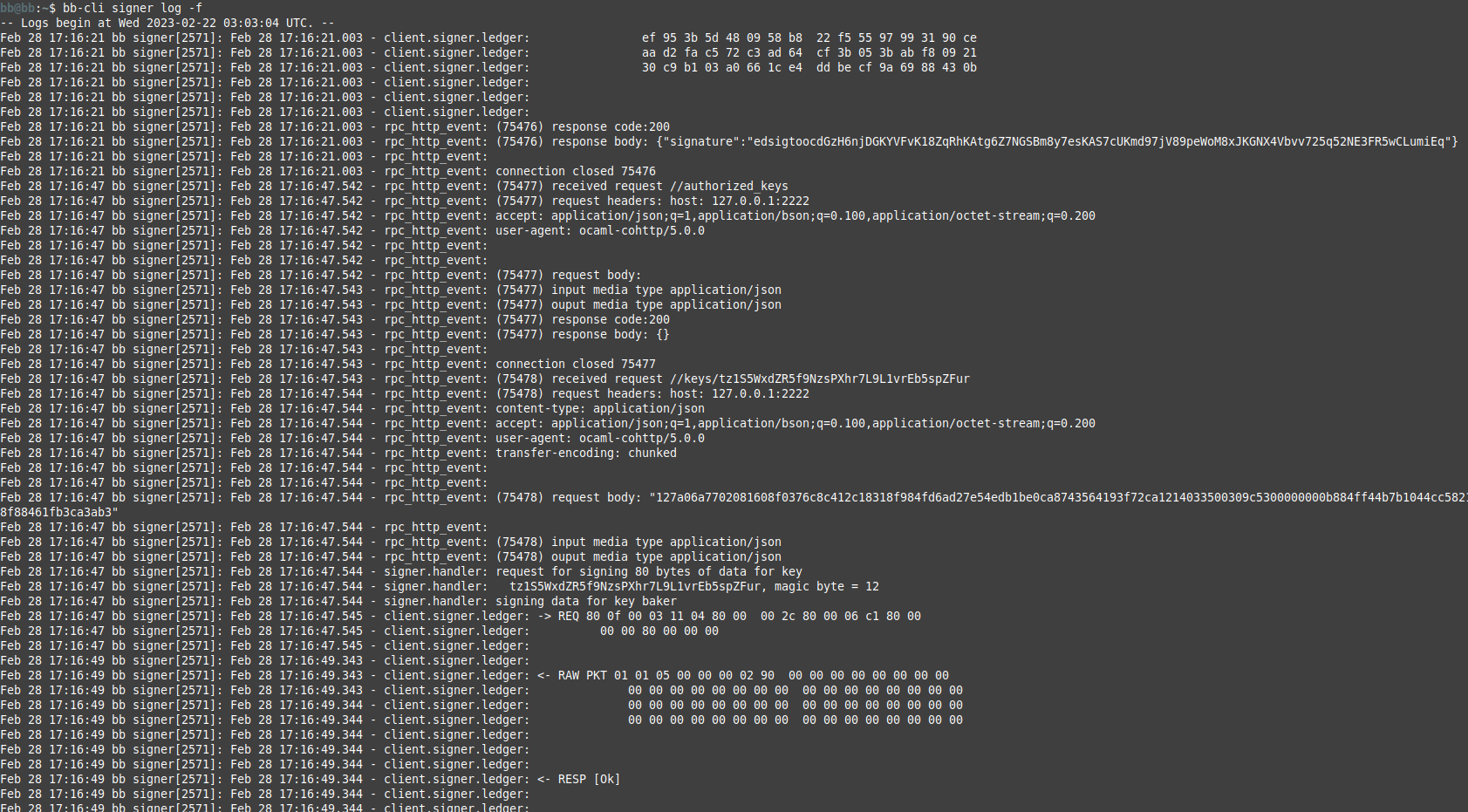
Monitor full TezBake signer logs in real time
Using the command below shows everything your Ledger is signing or trying to sign. If there is a hardware wallet issue, this log will confirm it.
tezbake signer log -f
General Linux monitoring
All TezBake logs are stored in the /var/log/syslog file. You can view the logs by running the commands below. You can also use tezbake itself to view the logs in real time.
cat /var/log/syslog | grep tezbake
tail -f /var/log/syslog | grep tezbake
Related Guides
- Troubleshooting - Fix common issues
- Missing Attestations - Understanding missed attestations
- TezWatch Setup - Set up Discord/Telegram alerts
Any questions/comments/concerns? Please contact the Tez Capital team on Discord or Telegram