Setup
Follow along on Youtube!
Prerequisites
For this tutorial, you’ll need to have already followed one of the following:
TezPeak supports using TezBake and TezPay simultaneously or by themselves. To run them at the same time, combine both configurations in the same file as shown here: https://github.com/tez-capital/tezpeak
Note: tezbake version 0.18.0-beta minimum is required to use TezPeak.
Installation
Download and install TezPeak via TezBake
tezbake setup --peak
Setup TezPeak configuration
cd /bake-buddy/peak/ && touch config.hjson
Open the config.hjson file with your favorite text editor.
If you’ve used JSON before but not HJSON, you can read more about it here: https://hjson.github.io/
Configuration Examples
Sample TezPeak configuration with 1 baker
{
    listen: 0.0.0.0:8733
    app_root: /bake-buddy
    modules: {
        tezbake: {
            bakers: [
                tz1S5WxdZR5f9NzsPXhr7L9L1vrEb5spZFur
            ]
        }
    }
}
Local-only access
{
    listen: 127.0.0.1:8733
    app_root: /bake-buddy
    modules: {
        tezbake: {
            bakers: [
                tz1S5WxdZR5f9NzsPXhr7L9L1vrEb5spZFur
            ]
        }
    }
}
Full TezPeak configuration (TezBake)
{
    # Id to show in the header
    id: ""
    # Address to listen on
    listen: 127.0.0.1:8733
    app_root: /bake-buddy
    modules: {
        tezbake: {
            # uncomment below to disable tezbake package monitoring
            # applications: null
            bakers: [
                # list of bakers to monitor for balances and rights
                tz1P6WKJu2rcbxKiKRZHKQKmKrpC9TfW1AwM
            ]
        }
    }
    # List of reference nodes to connect to
    nodes: {
        "Tezos Foundation": {
            address: https://rpc.tzbeta.net/
            is_rights_provider: true
            is_block_provider: false
        }
        tzkt: {
            address: https://rpc.tzkt.io/mainnet/
            is_rights_provider: false
            is_block_provider: true
            is_essential: false
        }
    }
    # The mode tezpeak should operate in
    # auto - if bound to localhost, it will operate in private mode if not, it will operate in public mode
    # public - assumes public environment, only readonly operations are allowed
    # private - assumes private environment, all operations are allowed
    mode: auto
}
⚠️ SECURITY WARNING: Private Mode
In private mode, anyone with access to your TezPeak instance can control your baker (start, stop, and manage services). Only use private mode when:
- TezPeak is bound to
127.0.0.1(localhost only), or- TezPeak is behind a firewall/VPN and not publicly accessible
If you need remote access, use
publicmode and manage your baker via CLI when needed.
Start TezPeak and connect to it
tezbake start --peak
If you’re connecting to the TezPeak GUI from a different computer, open a web browser and navigate to http://<your-baker-ip>:8733.
If you’re connecting from the same computer, use http://127.0.0.1:8733 or http://localhost:8733.
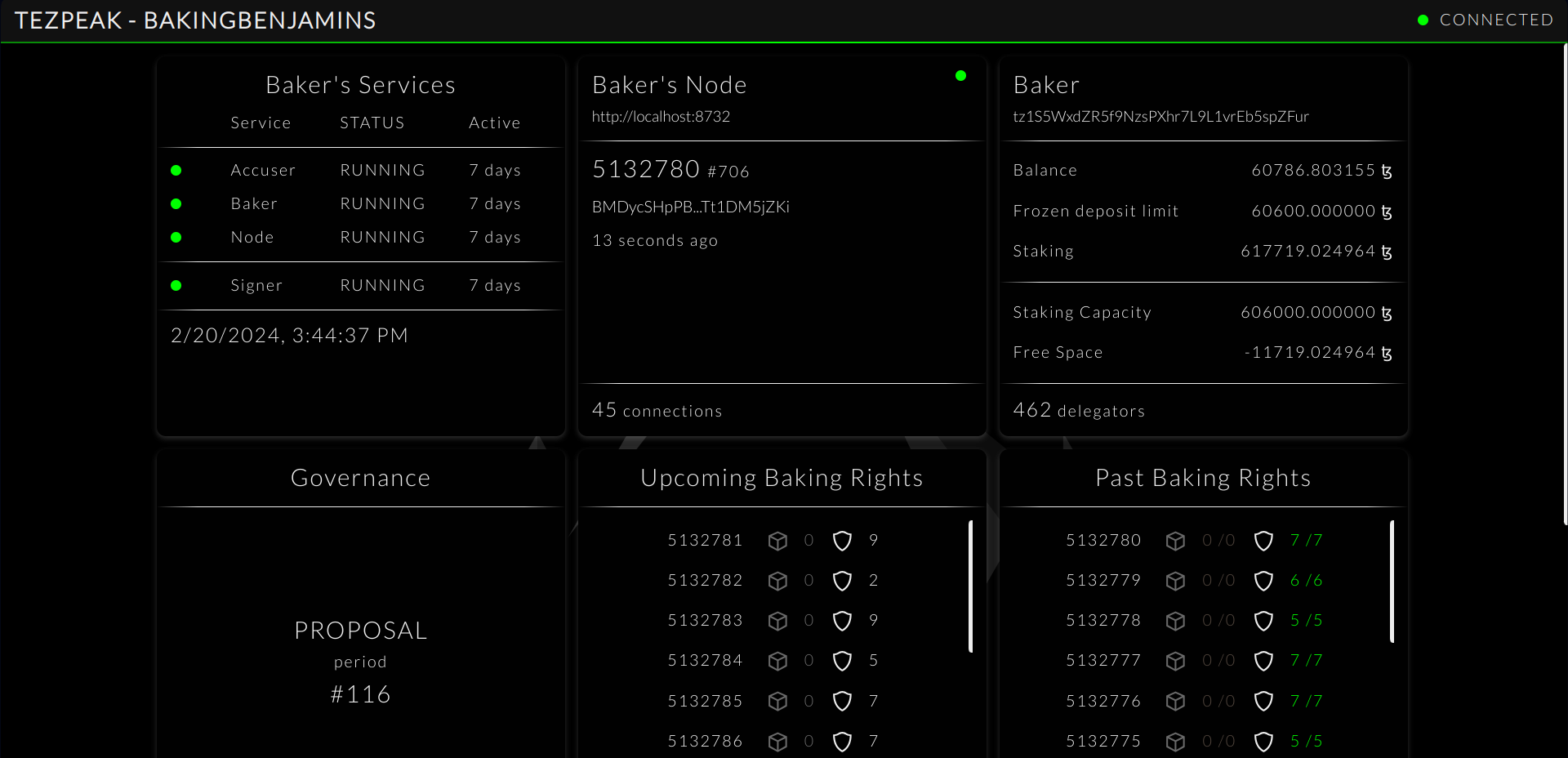
TezPeak example screenshot
What’s Next
✅ TezPeak is running! Here are additional things you can do:
- Manage TezPay payouts via TezPeak GUI — Run and monitor delegator payouts from the dashboard
- Set up TezWatch alerts — Get Discord notifications for missed attestations
- Participate in governance — Vote on Tezos protocol proposals
Any questions/comments/concerns? Please contact the Tez Capital team on Discord or Telegram