Hardware and Flashing
Recommended Hardware
The Radxa Zero 3W and Raspberry Pi Zero 2W are both good TezSign devices. Buy two devices if you want a ready spare for failover.
Use high-endurance microSD cards. An 8 GB card is enough. Keep at least one active card and at least two TezSign-flashed backup cards.
General Supplies
- Dual microSD card reader with two slots, or at least one USB SD-card reader
- High-endurance microSD cards, 8 GB or larger
- Short, high-quality USB data cable
Example dual-slot reader:
Radxa Zero 3W
- Radxa ZERO 3W RK3566 single-board computer
- Radxa heatsink for Zero 3W / 3E
- USB A to USB C data cable
- Optional micro HDMI cable if you want to inspect the device screen
- Optional independent USB-C power supply if OTG power is unreliable
Use the farthest USB port for the OTG data connection.
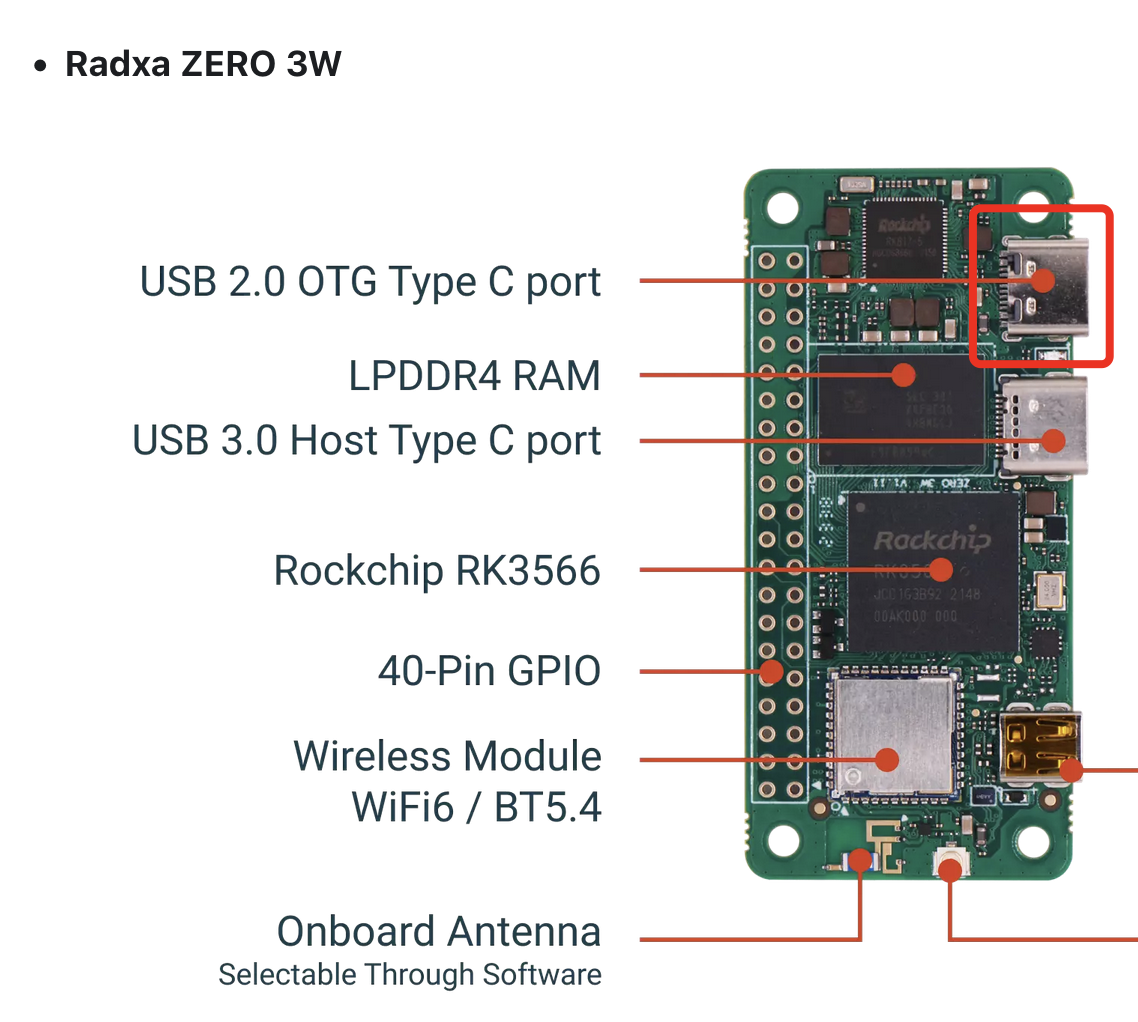
Example parts:
- Radxa ZERO 3W: https://www.aliexpress.us/item/3256807428419499.html?gatewayAdapt=glo2usa4itemAdapt
- Radxa heatsink: https://www.aliexpress.us/item/3256806829446736.html?gatewayAdapt=glo2usa4itemAdapt
- USB A to USB C data cable: https://www.aliexpress.us/item/3256805660336073.html?spm=a2g0o.productlist.main.11.31ce63d3dP4ICu
- Optional micro HDMI cable: https://www.walmart.com/ip/Micro-USB-to-HDMI-Cable-Micro-USB-to-HDMI-Adapters-Black-E7Z3/10094271646
- Optional independent power supply: https://radxa.com/products/accessories/power-pd-30w/
Raspberry Pi Zero 2W
- Raspberry Pi Zero 2W
- Short USB to micro USB data cable
- Optional mini HDMI cable if you want to inspect the device screen
- Optional Raspberry Pi power supply if OTG power is unreliable
Use the USB port between the power USB port and the mini HDMI port.
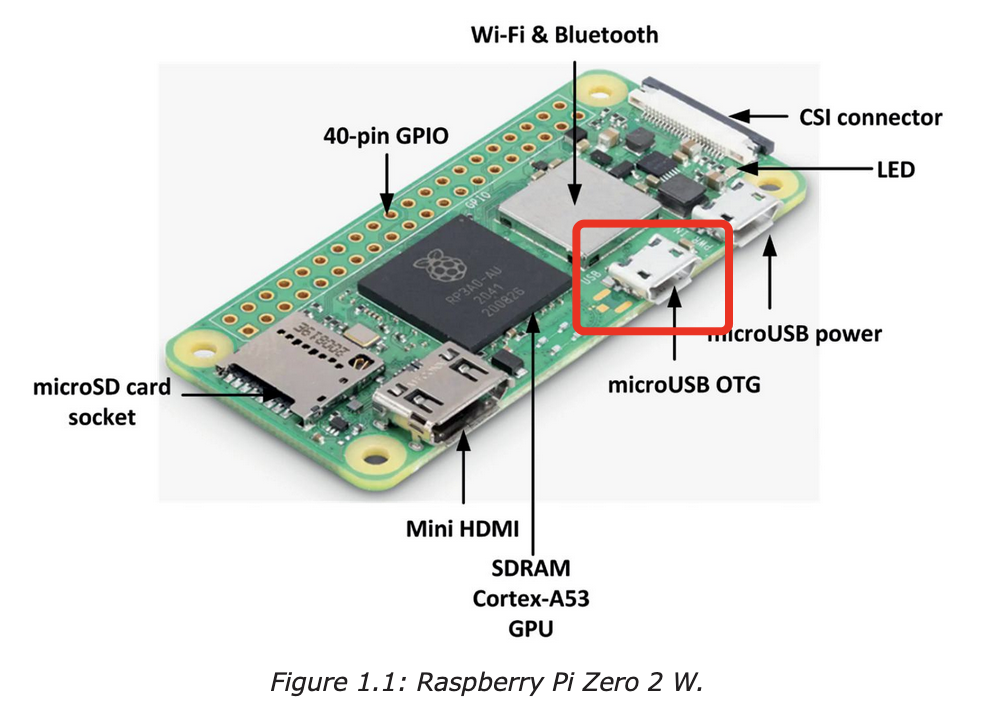
Example parts:
- Raspberry Pi Zero 2W: https://www.pishop.us/product/raspberry-pi-zero-2-w/
- Short micro USB data cable: https://www.amazon.com/CableCreation-Charger-Compatible-Chromecast-Android/dp/B013G4EAEI
- Optional mini HDMI cable: https://www.walmart.com/ip/4K-HDMI-2-0-Cable-6ft-High-Speed-18Gbps-Mini-HDMI-HDMI-Cable-4K-60Hz-HDR-3D-2160P-1080P-Ethernet-Braided-Cord-32AWG-Audio-Return-ARC-Compatible-MacBo/14899622631
- Optional Raspberry Pi power supply: https://www.canakit.com/raspberry-pi-adapter-power-supply-2-5a.html
Flash the TezSign Image
Download the latest image for your device from TezSign Releases.
Extract the image after downloading it. The extracted image is usually around 1.5 GB to 2 GB.
Use Balena Etcher or another image flashing tool to flash the image to the microSD card.
On Linux, a current TezSign card has three partitions:
appbootdata
The data partition contains the tezsign folder used for backup, restore, and migration. macOS does not mount the data partition correctly, so use Linux for TezSign data backup and restore work.
See Back Up and Restore TezSign Data before updating, reflashing, or migrating a TezSign card.
For same-image spare cards, you can also clone a working SD card. A dual-slot reader or two USB SD-card readers makes this easiest. Cloning is a backup method, not a way to move onto a newer TezSign image generation.
Any questions/comments/concerns? Please contact the Tez Capital team on Discord or Telegram